
Expense Inbox: Using Reference IDs
Reference IDs are custom tags you can add to expense descriptions to group and track related costs. They're especially useful for:
- Linking expenses to your accounting software
- Tracking multiple purchases for a single project phase
- Grouping expenses from the same shopping trip
- Linking expenses that should be billed together
- Creating custom tracking categories
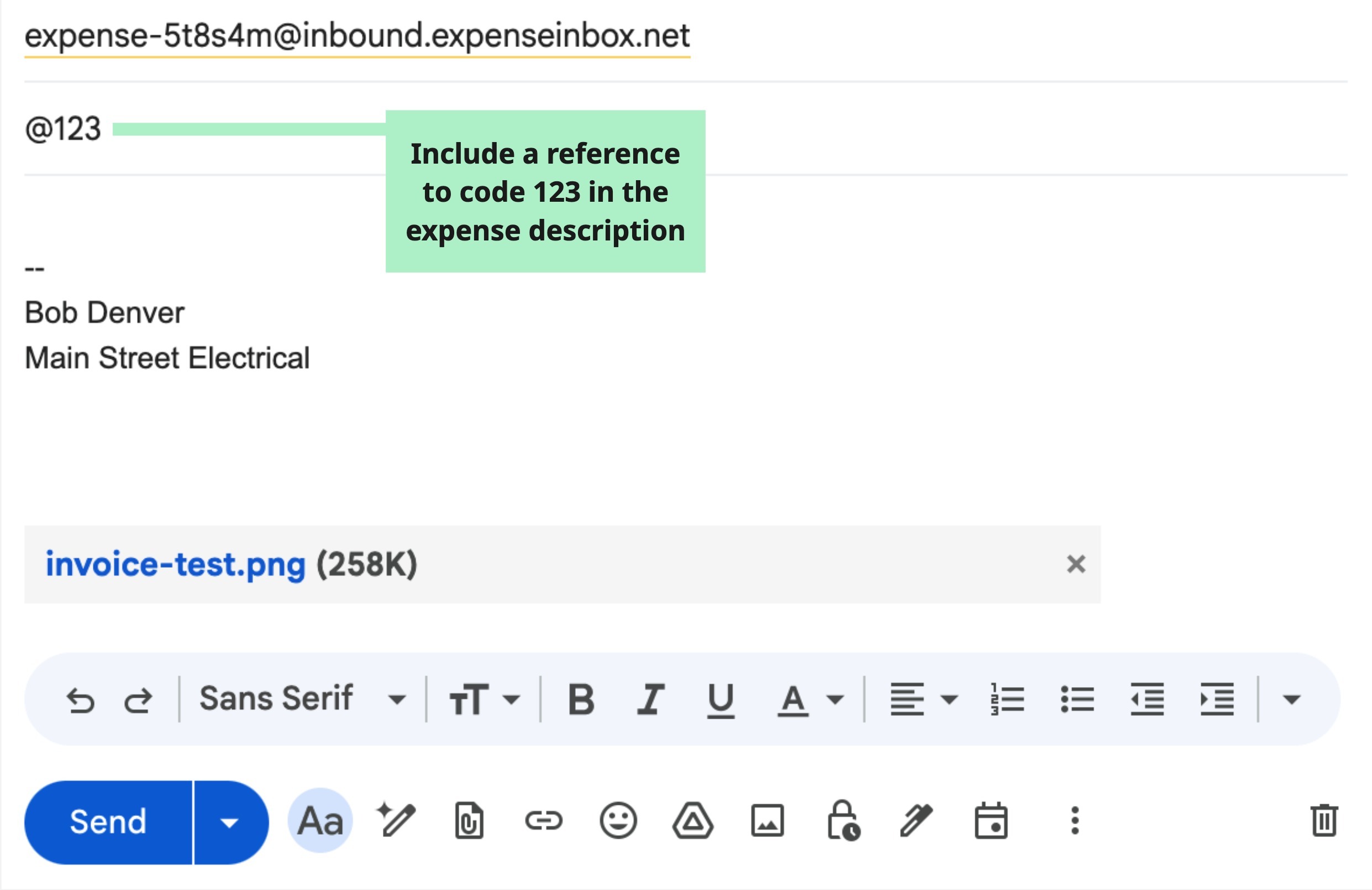
To add a Reference ID to an expense, when you send an email to us for processing, add the "@" symbol followed by the reference ID you want to the email subject line:
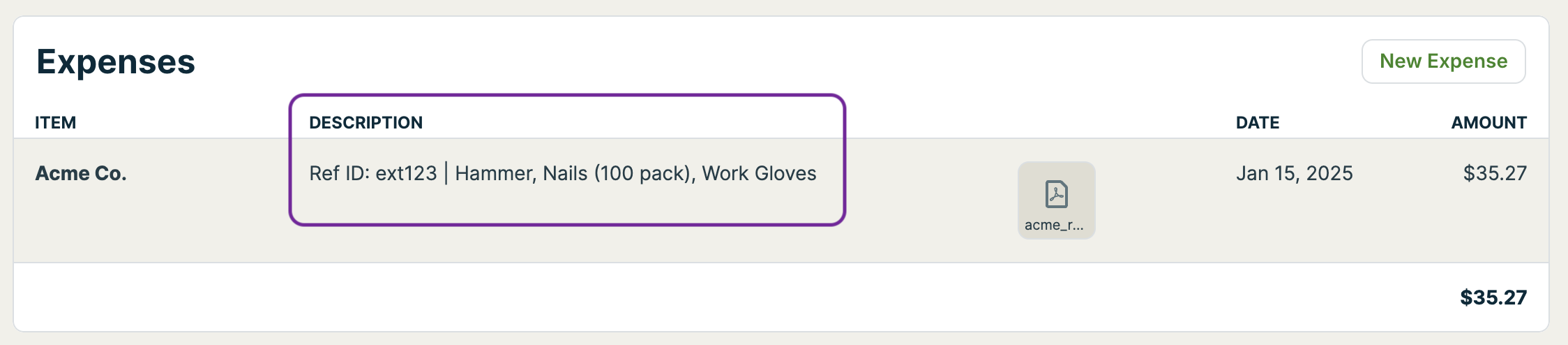
After submitting the expense to your inbox address, you will see the Reference ID as part of the description. This allows you to easily view and reference any external system that may relate to that expense.
Creative Uses for Reference IDs
Project Phases:
#235 @phase1 - Demolition supplies
#235 @phase2 - Framing materials
#235 @phase3 - Finishing materials
Purchase Orders:
#235 @PO-12345 - Materials for kitchen
#235 @PO-12346 - Appliances for kitchen
Trip Grouping:
#235 @trip0116 - Home Depot
#240 @trip0116 - Lowe's
#242 @trip0116 - Electrical supply
Client Reimbursables:
#235 @reimburse - Special order tiles
#235 @reimburse - Custom fixtures
Reference IDs Are Optional
You don't need to use reference IDs for every expense. They're there when you need them for better organization and tracking.